MANGA TRANSLATOR
[ CONCEPT_VISUALIZATION ]
The Idea
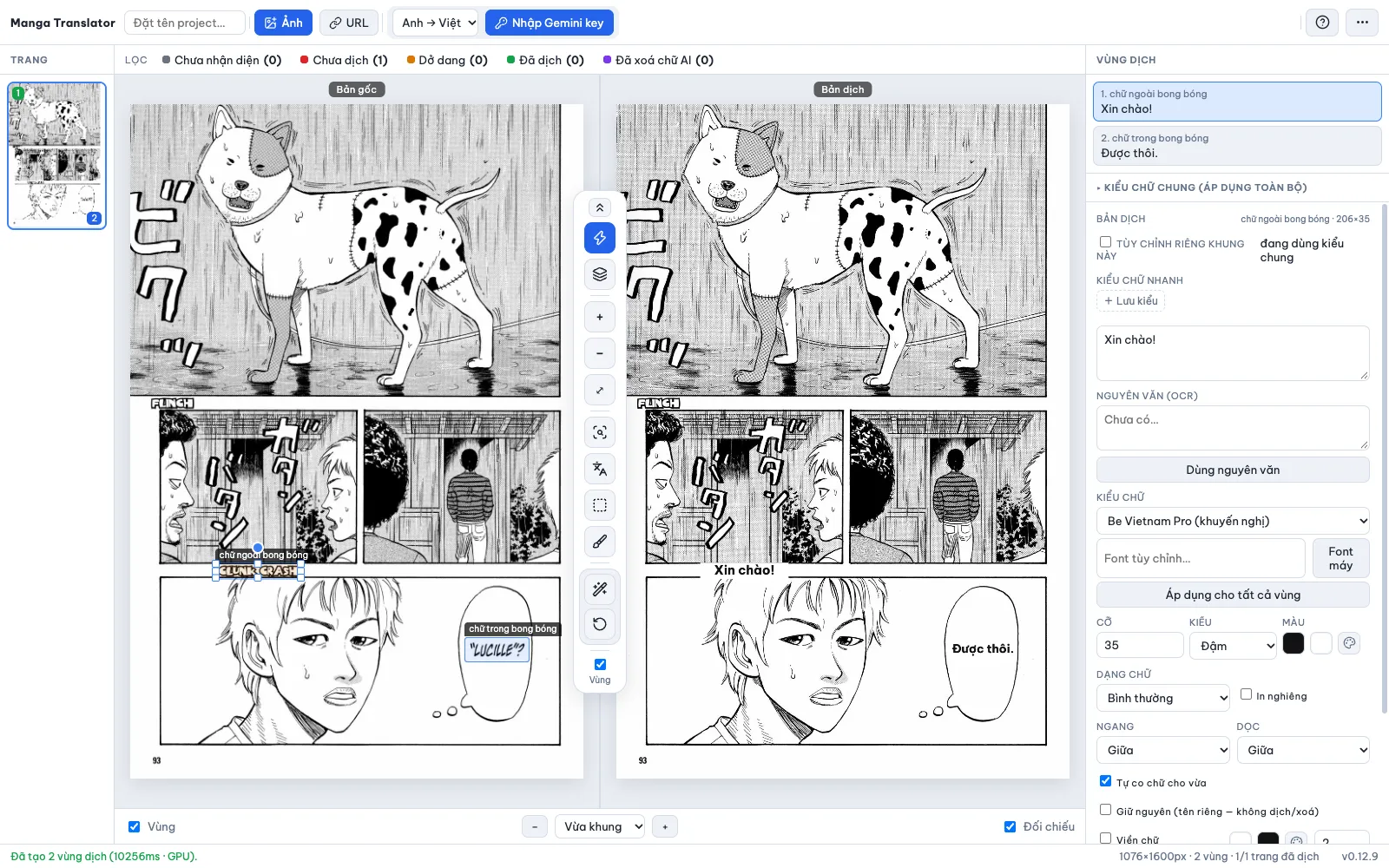
Translating a manga page is usually a chain of disconnected steps: crop the bubbles, run OCR, copy the text into a translator, paste it back, erase the original letters, and re-typeset everything by hand.
Manga Translator turns that into one pipeline that runs entirely in the browser: detect → read → translate → erase → typeset → export. Your images never leave the machine unless you explicitly opt into Gemini translation.
How It Works
Detection. RT-DETR v2 (ONNX) finds speech bubbles and the text boxes inside them, then groups them into editable translation regions.
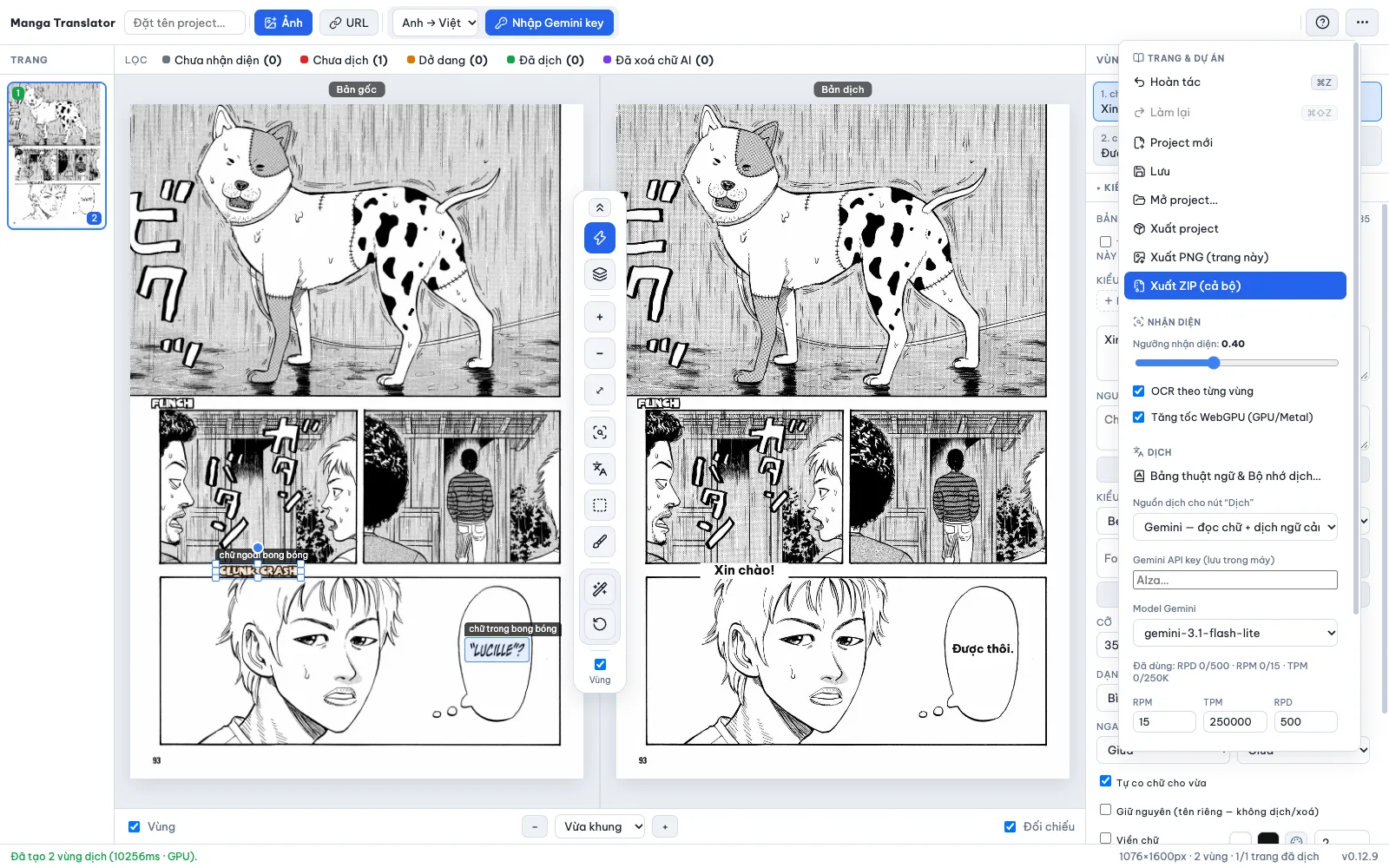
Reading. Tesseract.js reads each region (used for the free offline mode). With Gemini enabled, the model reads the text and context straight from the image, so OCR is not required.
Translation. Two options: a free offline model (opus-mt English↔Vietnamese) or Gemini, which reads the lettering and translates with context and a shared glossary.
Cleanup. A LaMa manga inpainting model erases the source text and reconstructs the artwork behind it, keeping line art and bubble borders.
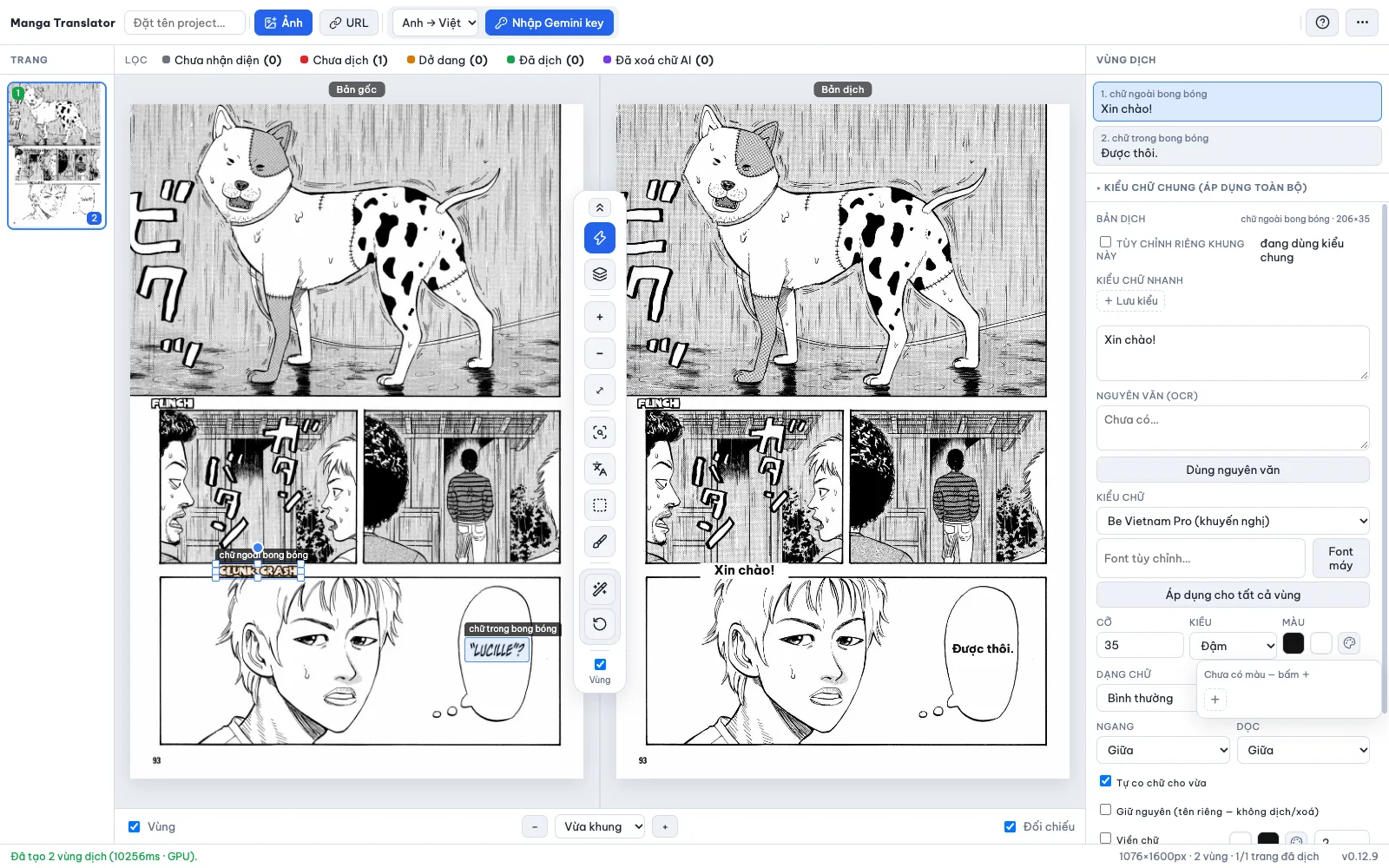
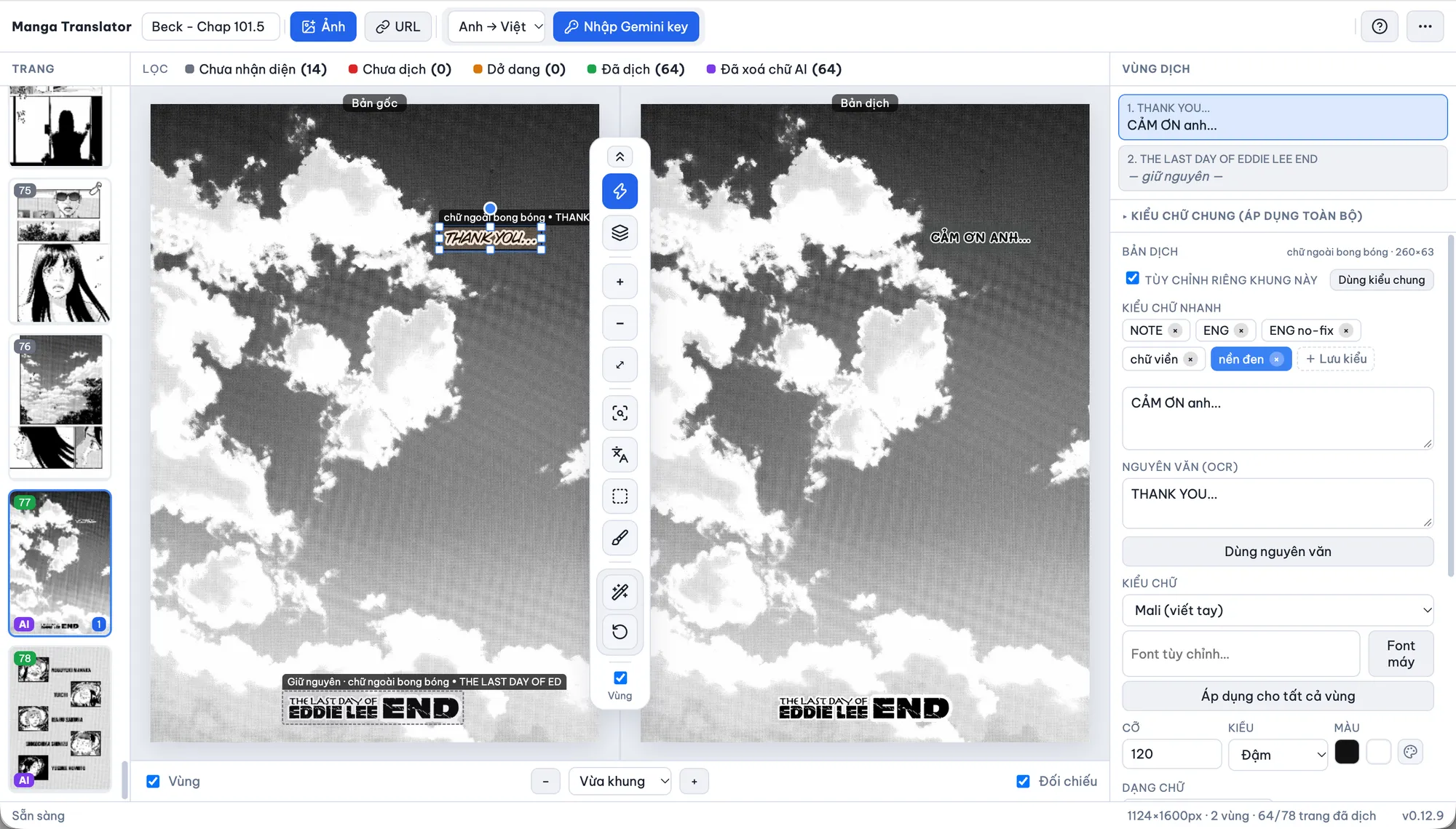
Typesetting. Every region gets its own font, size, colour, alignment, outline and line breaks. Quick style presets and a project-wide colour palette keep a chapter consistent.
What It Does
- Compare frame — original and translation side by side, with synced zoom and pan.
- Page workflow — detect, OCR, translate and erase the current page, or queue the whole chapter.
- Manual editing — drag, rotate and reshape regions; brush-erase anything the AI missed.
- Style presets & palette — save text styles and colours once, reuse across the whole project.
- Clean export — PNG per page or a ZIP of the whole batch.
The Stack
A static web app with no build step: vanilla JavaScript, Canvas, and ONNX Runtime Web. Detection and inpainting run on the GPU via WebGPU when available, and fall back to multi-threaded WASM (COOP/COEP) otherwise. Projects are auto-saved locally in the browser and can be exported as a portable project file.
It is open source (MIT) and free to use.
Try It
Manga Translator is live at mt.vuhuynh.dev. Feedback is always welcome at hi@vuhuynh.dev.