←Back to Works
macOS / UTILITY·2026
1 / 4
PlatformmacOS / UTILITY
Release Year2026
StatusACTIVE
DistributionMac App Store
SKINSKIN: FOLDER STUDIO
[ CONCEPT_VISUALIZATION ]
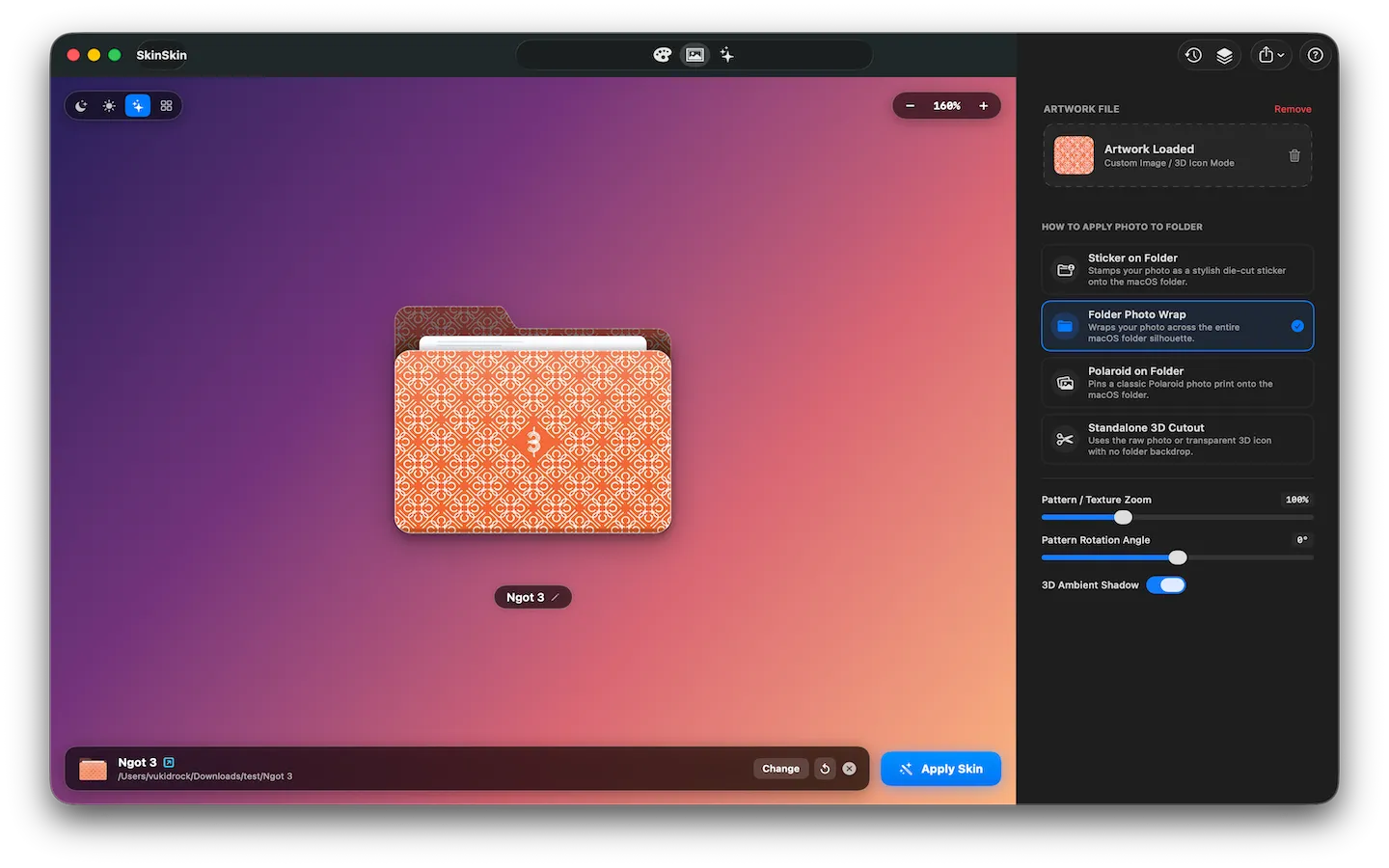
SkinSkin is a native macOS application engineered with SwiftUI and SwiftData that transforms ordinary macOS default blue folders into aesthetic, customized works of art with ease.
Designed specifically for designers, creators, and Mac enthusiasts, SkinSkin combines physical embossing lighting effects, gradient palettes, stamp badges, Polaroid frames, and vinyl sticker die-cuts—all while integrating deeply into macOS with App Sandbox and Security-Scoped Bookmarks.
KEY CAPABILITIES
1. Folder & Stamp Studio
- Aesthetic Palettes: Curated pastel and vibrant gradient palettes with custom angle controls (linear & radial).
- Emboss & Lighting Engine: Authentic macOS physical lighting and 3D physical emboss shadow simulations.
- Icon Badges & Stamps: Seamlessly place Apple SF Symbols, custom emojis, and image stamps on folder tabs and bodies.
2. Image & Artwork Customization
- Folder Photo Wrap: Seamlessly wraps any high-res artwork or photo across the native macOS folder silhouette.
- Die-cut Vinyl Stickers: Create rounded, circular, or freeform vinyl stickers with custom border thickness and dropshadows.
- Polaroid on Folder: Classic nostalgic Polaroid frame with custom marker handwriting captions.
- Standalone 3D Cutout: Generate transparent custom icons with realistic desktop shadows.
3. Batch Processing & Time Machine History
- Batch Processing: Skin dozens of project folders simultaneously in a single click with
⌘ + B. - Persistent Version History (Time Machine): Powered by SwiftData with
@Attribute(.externalStorage)to instantly undo, review, or re-apply any past folder design. - Inline Finder Renaming: Rename folders directly inside the app with duplicate name conflict prevention.
4. Native Mac App Store Architecture
- Retina PNG & Apple
.icnsExport: Render high-definition 1024x1024 Retina icons or bundle native macOS.icnspackages. - Security-Scoped Bookmarks: 100% compliant with macOS App Sandbox requirements for Mac App Store security.
- Keyboard-First Workflow: Comprehensive shortcuts for speed (
⌘Returnto apply,⌘Oto open folder,⌘Ito import artwork,⌘Eto export).
THE TECH STACK
- Platform: macOS 14.0+ (Sonoma, Sequoia)
- Frameworks: SwiftUI, AppKit, Core Graphics & Image I/O
- Data Persistence: SwiftData with external binary storage for version history
- Security: App Sandbox, Security-Scoped Bookmarks, File Coordination
- Distribution: Mac App Store
[ END_OF_SPEC ]